Ourcraft Manual
Everything you need to play Ourcraft and its team game, Splat Squad. New players can start with Getting started and Controls.
1. Getting started
The easiest way: download the game for macOS, Windows or Linux, unzip it and open it. To build it yourself from its source code with Rust instead (a few minutes the first time; after that it starts in seconds):
- Install Rust from rustup.rs (one command; accept the defaults).
- Get the game:
git clone https://github.com/rsantacroce/ourcraft cd ourcraft - Start it:
You'll land on the main menu.cargo run --release
sudo apt install pkg-config libasound2-dev libudev-dev libwayland-dev libxkbcommon-devcargo run --release -- --world "My World" opens (or creates) a world, and
--connect 192.168.1.20 --name Sam joins a friend.2. The main menu
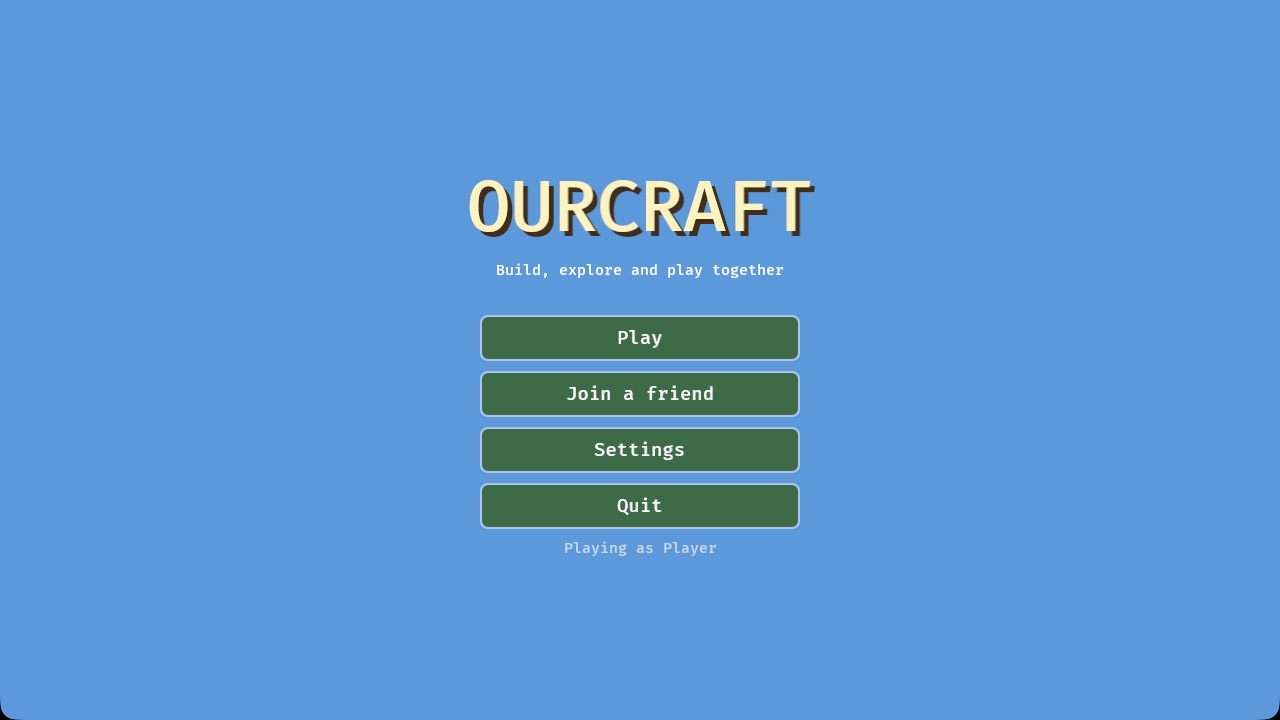
- Play lists your worlds. Click one to continue it, or + New world to make one.
- Join a friend shows games on your home network, or lets you type an address.
- Settings: your name, view distance, sound and more (see Settings).
- Quit closes the game. Your worlds are saved.
Making a new world
- Name: anything you like, or press Pick a random name.
- Seed (optional): a number that decides what the land looks like. The same seed always makes the same world, so you can share good ones with friends.
- Game: Build for free play, or Splat Squad for the team game.
- Creative / Survival (Build only): see Creative and survival.
- Friends on my network can join: switch on to let people on the same Wi-Fi join you.
In a world, press Esc (or the Menu button on touch screens) for the pause menu: Back to game, Settings, or Save and quit to title.
3. Controls
Click inside the game window to capture the mouse; press Esc to get it back.
| Action | Keyboard & mouse | Gamepad | Touch |
|---|---|---|---|
| Walk | W A S D | Left stick | Thumb on the left side, drag |
| Look around | Move the mouse | Right stick | Drag on the right side |
| Jump | Space | A | Jump button (steps are climbed automatically) |
| Run | Ctrl | Click the left stick | Push the joystick all the way |
| Fly on / off (creative) | Double-tap Space, or F | X | Fly button |
| Fly or swim up / down | Space / Shift | A / B | Jump / Down |
| Break a block / use a gadget | Left click (hold to repeat) | Right trigger | Press and hold |
| Place a block | Right click | Left trigger | Quick tap |
| Use a door, chest, furnace, crafting table, bed or sign | Right click (hold Shift to place a block against it instead) | Left trigger | Quick tap |
| Eat (food in hand, survival) | Hold right click | Hold left trigger | Hold the Eat button |
| Pet, feed or shear an animal | Right click on it | Left trigger | Quick tap |
| Bop a monster (or an animal: it hops away) | Left click on it | Right trigger | Press |
| Drop one item (Ctrl: the whole stack) | Q | ||
| Copy the block you're looking at (creative) | Middle click (can be switched off in Settings) | D-pad up | |
| Camera: first person → behind you → in front of you | F5 | D-pad down | View button |
| Choose a hotbar slot | 1–9 or mouse wheel (the wheel can be switched off in Settings) | Bumpers | Tap the slot |
| Inventory | E | Y | Bag button |
| Chat / command | Enter / / | ||
| Pause menu | Esc | Menu button | |
| Show or hide info text | F3 | ||
| View distance | [ and ] | In Settings | |
| Skip ahead an hour | T | ||
| Creative ↔ survival | G |
4. Playing Ourcraft
Moving around
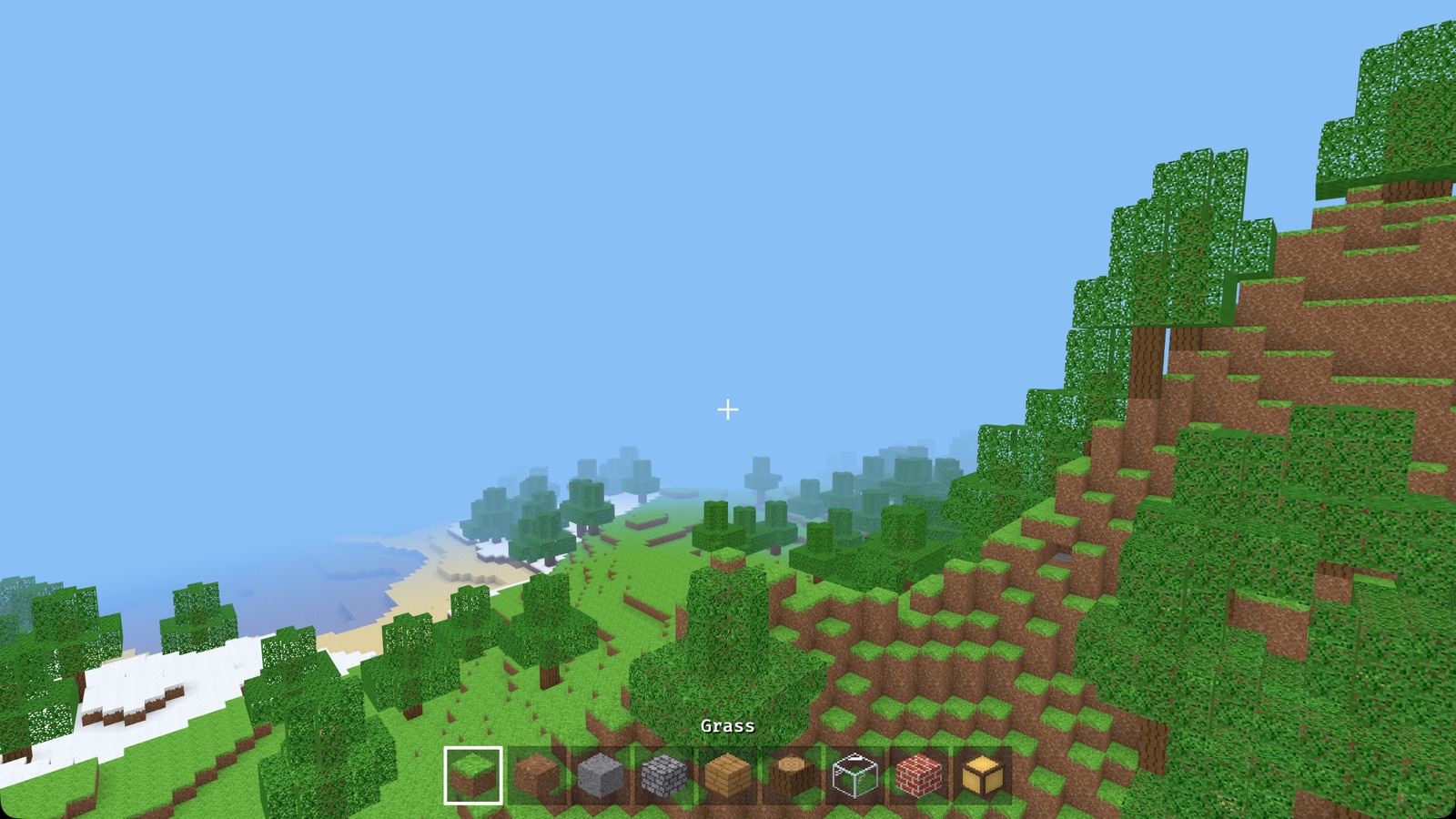
Walk with WASD and look with the mouse. You can jump up one block at a time. In water you float: hold Space to swim up. In creative mode, double-tap Space to fly, and land by flying down onto the ground.
Building and breaking
- The + in the middle of the screen is where you're aiming. The block you'd change gets a thin outline (you can reach about 6 blocks).
- Left click breaks the block. Hold the button to keep breaking. In survival, breaking takes a moment (cracks show how far along you are); the right tool is much faster, and what the block drops pops out for you to pick up.
- Right click places the block from your selected hotbar slot against the face you're pointing at. You can't place a block where you or another player is standing.
- Some blocks are placed the way you look or click: stairs climb away from you, torches and ladders go on the wall you click, doors are two blocks tall, beds two blocks long.
- Right click a door, chest, furnace, crafting table, bed or sign to use it. (Hold Shift if you want to place a block against it instead.)
- Bedrock, the dark stone at the very bottom of the world, can't be broken.
Hotbar and inventory
The nine squares at the bottom are your hotbar. The selected one has a white border, and its name shows above it. Press E to open the inventory.
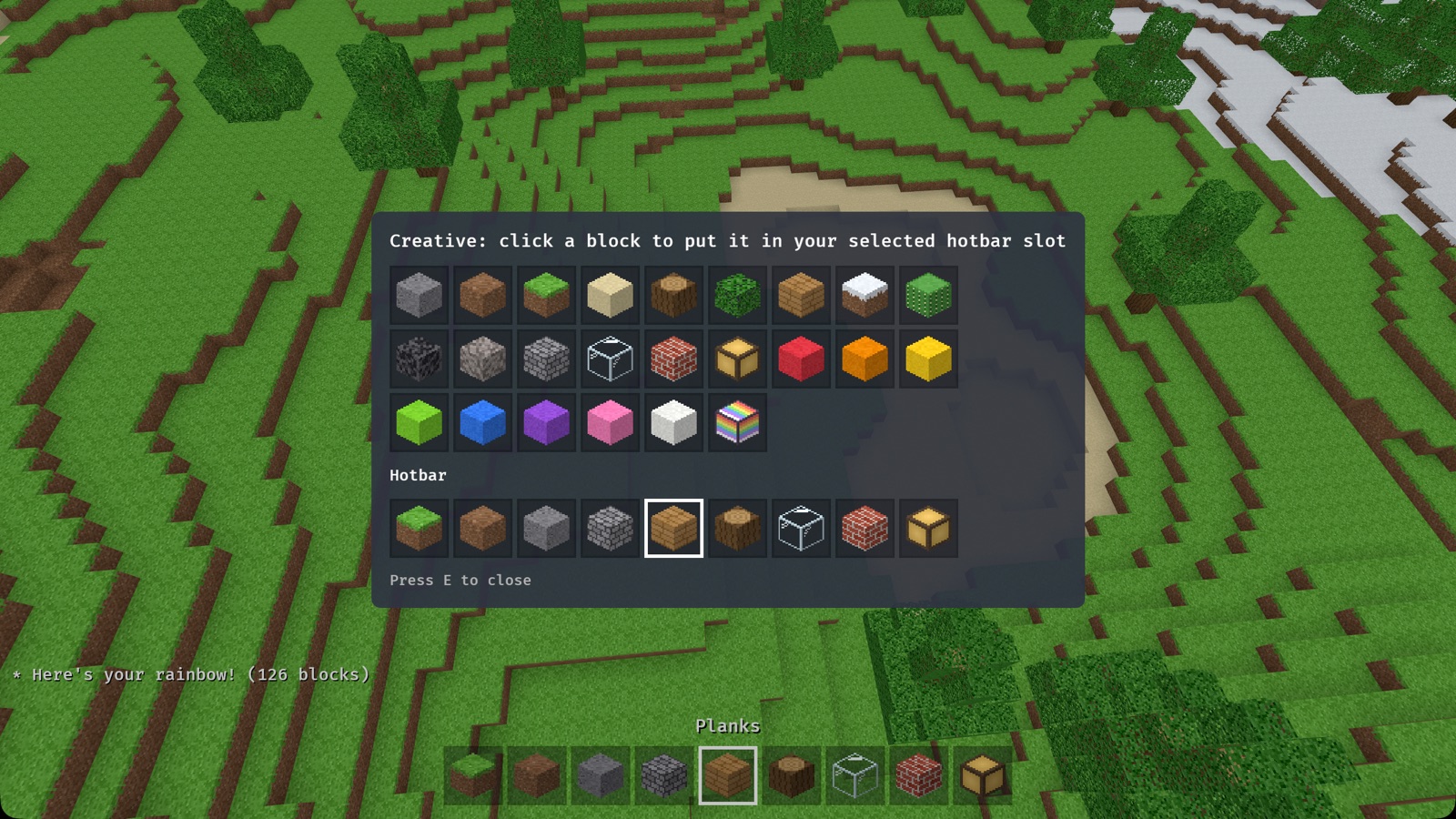
- Creative: every block and item is shown, sorted into tabs (Building, Nature, Food, Tools, Items; the arrows show more pages). Click one to put it in your selected hotbar slot.
- Survival: you see your backpack (27 slots), your hotbar, and a small 2×2 crafting grid. Click a stack to pick it up (it follows the mouse) and click again to put it down, swap it, or add it to a matching stack. Right click picks up half a stack, or puts down just one. Put things in the crafting grid and the result appears next to it: click it to take it (see recipes).
Creative and survival
| Creative | Survival | |
|---|---|---|
| Blocks | Endless supply of every block | Only what you collect; placing uses it up |
| Breaking | Instant; blocks just disappear | Takes a moment (quicker with the right tool); the block drops as an item to pick up (stone gives cobblestone, grass gives dirt) |
| Flying | Yes | No |
| Health and hunger | No | Yes (gentle) |
| Monsters | Leave you alone | Come out at night (unless the world is peaceful) |
Pick one when you make a world. You can switch any time with G.
The world
- Biomes: green plains, thick forests, sandy deserts with cacti, snowy lands, and tall rocky mountains with snow on top. Low land is filled with lakes and seas with sandy beaches.
- Caves wind underground. Some open up at the surface.
- Day and night: a full day lasts 20 minutes. Sunsets glow orange; nights are dark blue. Caves and anywhere under a roof are dark: bring torches.
- Ores sparkle in the stone underground: coal near the surface, iron deeper, gold and diamonds near the bottom, where the deepest caves are full of lava.
- Animals graze on the grass: sheep, pigs, cows and chickens.
- Weather: now and then it rains (or snows, where it's snowy), and clouds drift by.
- It never ends: new land appears as you travel. Far-off land fades into the sky; raise the view distance to see further.
- Saving is automatic every 30 seconds, and again when you quit.
Blocks
| Block | Where to find it / notes |
|---|---|
| Grass, Dirt | Everywhere on the surface |
| Stone, Cobblestone | Under the dirt; breaking stone gives cobblestone |
| Sand | Deserts and beaches |
| Gravel | The bottom of lakes and seas |
| Log, Leaves, Planks | Trees; planks are for building |
| Snowy Grass | Snowy lands and mountain tops |
| Cactus | Deserts |
| Glass | See-through, great for windows |
| Bricks | For houses and walls |
| Lamp | Glows, even at night |
| Water | Lakes and seas; you can swim in it |
| Bedrock | The bottom of the world; can't be broken |
| Coal, Iron, Gold, Diamond Ore | Underground; deeper means rarer. Need a pickaxe (iron: stone or better; gold and diamond: iron or better) |
| Clay | Under lakes and the sea; gives clay balls for bricks |
| Lava | The bottom of deep caves; glows, and stings if you fall in |
| Crafting Table, Furnace, Chest | Crafted; right click to use |
| Torch | Crafted from coal and a stick; lights up caves |
| Stairs, Slabs | Wood, cobblestone, stone and brick; you walk up them without jumping |
| Fence, Door, Trapdoor, Ladder, Sign, Bed | Crafted from wood (the bed needs wool) |
| Wool | From shearing sheep |
| Blocks of Iron, Gold, Diamond | 9 ingots (or diamonds): shiny! |
| Paint (8 colours), Rainbow Lamp | From the Paint Blocks mod |
| Snow Bricks, Ice Lantern | From the Snow Fun mod (/snowman, /snowballs) |
5. Survival guide
In survival you start with empty hands. Here's one way to get going; there's no wrong way to play.
Your first day
- Find a tree and hold left click on its logs (by hand it takes a couple of seconds). Walk over the logs that pop out to pick them up.
- Press E. Put a log in the little crafting grid: it makes 4 planks. Click the planks to take them.
- Fill the 2×2 grid with planks to make a crafting table. Place it and right click it: now you have a 3×3 grid.
- Make sticks (two planks, one on top of the other), then a wooden pickaxe.
- Dig down into the stone to get cobblestone. Make stone tools, and a furnace (8 cobblestone in a ring).
- Look for black-speckled coal ore and make torches. Light up a little shelter before the night, and make a bed (wool and planks) so you can sleep through it.
Tools and ores
- Pickaxes are for stone, ores and bricks; axes for wood; shovels for dirt, sand, gravel and clay. The right tool is much faster.
- Stone (and anything made from it) only drops something if you use a pickaxe. Better ores need better pickaxes: iron needs stone or better; gold and diamonds need iron or better.
- Tools come in wood, stone, iron and diamond. Better ones are faster and last longer. Each tool wears out with use (see the little bar under it); when it's used up it breaks.
- Ores: coal (black specks, near the surface), iron (pinkish specks), gold (yellow, deep) and diamond (sky blue, deepest of all). Iron and gold ore go in the furnace to become ingots.
Crafting recipes
Put the items in the grid in this shape (it can go anywhere in the grid, and the mirror image works too). A dot is an empty square. Recipes up to 2×2 work in your inventory; bigger ones need a crafting table.
| Makes | Shape | With |
|---|---|---|
| 4 Planks | L | L = log |
| 4 Sticks | P / P | P = planks |
| Crafting Table | PP / PP | P = planks |
| Pickaxe | XXX / .#. / .#. | X = planks, cobblestone, iron ingot or diamond; # = stick |
| Axe | XX / X# / .# | |
| Shovel | X / # / # | |
| Furnace | CCC / C.C / CCC | C = cobblestone |
| 4 Torches | C / # | C = coal, # = stick |
| Chest | PPP / P.P / PPP | P = planks |
| Bed | WWW / PPP | W = wool, P = planks |
| 3 Doors | PP / PP / PP | P = planks |
| 2 Trapdoors | PPP / PPP | P = planks |
| 3 Fences | P#P / P#P | P = planks, # = stick |
| Fence Gate | #P# / #P# | # = stick, P = planks |
| 3 Ladders | #.# / ### / #.# | # = stick |
| 3 Signs | PPP / PPP / .#. | P = planks, # = stick |
| 4 Stairs | X.. / XX. / XXX | X = planks, cobblestone, stone or bricks |
| 6 Slabs | XXX | |
| Shears | .I / I. | I = iron ingot |
| Bucket | I.I / .I. | I = iron ingot |
| Bricks (block) | BB / BB | B = brick (from clay balls in the furnace) |
| 2 Lamps | GGG / GCG / GGG | G = glass, C = coal |
| Block of Iron/Gold/Diamond | XXX / XXX / XXX | X = ingots or diamonds (and back: one block gives 9) |
| Golden Apple | GGG / GAG / GGG | G = gold ingot, A = apple |
The furnace
Right click a furnace. Put what you want to cook in the top slot and fuel in the bottom one: coal burns longest; logs, planks, sticks and wooden tools work too. The flame shows the fire, the arrow how far the cooking is, and the result appears on the right. It keeps cooking while you're away.
- Iron ore → iron ingot, gold ore → gold ingot
- Sand → glass, cobblestone → stone, clay → bricks, clay ball → brick
- Log → coal, egg → fried egg
Health and food
- Above the hotbar: hearts (health) on the left, apples (food) on the right, and bubbles when you're under water.
- You get hungry slowly, faster when you run about. With a full tummy you heal. Hold right click with food in your hand to eat: apples (from leaves), fried eggs (cook an egg) or golden apples (they heal too).
- Falling from high up hurts (into water is always safe), staying under water too long hurts, and lava stings.
- Your hearts and food are saved: if you stop playing hungry, you're still hungry when you come back.
- If your hearts run out you faint and wake up in your bed (or where you started), with everything you were carrying. Being hungry can't make you faint by itself.
Monsters at night (and in caves)
At night, and in dark caves at any time, two silly monsters come out near players in survival: the Grumble (a grumpy teal fellow in purple shorts) and the Bouncer (a purple jelly that hops), the Puff (a little floating cloud) and the Rumble (a slow rock with glowing eyes). They follow you and bonk you for a heart or half a heart. Bop them back with left click: a few hits (fewer with a tool) and they vanish in confetti, sometimes leaving a lump of coal. At sunrise the ones outside puff away (cave monsters stay in their caves). They never appear where torches or lamps light things up, so light your house and your mine, and a bed skips the night.
Don't want monsters at all? Type /peaceful: no monsters and no hunger, for
the whole world (type it again to switch back).
Doors, stairs, chests, signs, beds
- Doors, trapdoors and fence gates: right click to open and close.
- Stairs and slabs: you walk up them without jumping. Stairs climb away from you; a slab placed against the underside of a block goes at the top.
- Fences join up with each other, with fence gates and with walls.
- Put two chests side by side and they open as one big chest with twice the room.
- Ladders: place on a wall, then hold jump to climb (and "down" to go down).
- Chests hold 27 stacks. Everyone on the server sees the same things inside.
- Signs: right click to write up to four lines (Enter for the next line, Esc when you're done; on a tablet, tap the letters on the screen). Everyone sees what you write.
- Beds: right click to set where you wake up. At night you lie down in it; if everyone online is in bed, it's morning. Move to get up.
Farming
- Make a hoe and right click dirt or grass with it: it becomes farmland. Farmland near water (up to 4 blocks away) turns dark and wet, and plants grow faster on it. Plants need light: the open sky (glass is fine, for a greenhouse) or a torch or lamp nearby. Mushrooms grow in the dark.
- Get seeds by breaking tall grass (or the ferns in forests). Right click farmland with them to plant. Carrots and potatoes are planted as they are; you find them growing wild in meadows now and then.
- Wait a few minutes. When wheat is golden, break it: you get wheat and more seeds. Breaking a plant too early just gives the seed back.
- Pumpkins and melons: plant their seeds on farmland. When the stem is grown, it puts a pumpkin or melon on the ground next to it (leave space!). Melons break into slices.
- Sugar cane grows on sand, dirt or grass right next to water, up to three tall. It makes sugar and paper.
- Mushrooms grow in forests and on cave floors; a red and a brown one make mushroom stew.
- Composter: put seeds, plants and food scraps in it (right click). When it's full, right click again for bone meal. Bone meal on a plant makes it grow at once; on grass it sprouts tall grass.
- Cake: place it, then right click to eat a slice (seven slices in a cake).
- Soup and stew leave you the bowl; milk leaves you the bucket. Crafting a cake gives the milk buckets back too.
| Makes | Shape | With |
|---|---|---|
| Hoe | XX / .# / .# | X = planks, cobblestone, iron ingot or diamond; # = stick |
| Bread | WWW | W = wheat |
| 8 Cookies | WSW | W = wheat, S = sugar |
| Cake | MMM / SES / WWW | M = milk bucket, S = sugar, E = egg, W = wheat |
| Pumpkin Pie | pumpkin + sugar + egg | any squares |
| 4 Bowls | P.P / .P. | P = planks |
| Beetroot Soup | bowl + 6 beetroots | any squares |
| Mushroom Stew | bowl + red + brown mushroom | any squares |
| Sugar | sugar cane | |
| 3 Paper | CCC | C = sugar cane |
| 4 Pumpkin Seeds | pumpkin | |
| Melon Seeds | melon slice | |
| Melon | MMM / MMM / MMM | M = melon slice |
| Pumpkin Lantern | P / T | P = pumpkin, T = torch (it glows!) |
| Composter | P.P / P.P / PPP | P = planks |
In the furnace a potato becomes a baked potato. Foods and how filling they are: cookie and melon slice a little, carrot and bread more, baked potato and soups a lot, pumpkin pie the most.
Colours
Flowers grow in patches in the meadows. Put a flower in the crafting grid to get a dye. There are sixteen colours:
- From flowers: dandelion → yellow, poppy → red, cornflower → blue, daisy → light gray, pink tulip → pink, orange tulip → orange, allium → magenta, forget-me-not → light blue.
- From other things: coal → black, bone meal → white, brown mushroom → brown, beetroot → red, and a cactus in the furnace → green.
- Mixing two dyes gives two: white + black = gray, white + gray = light gray, white + red = pink, white + blue = light blue, white + green = lime, blue + green = cyan, red + blue = purple, purple + pink = magenta, red + yellow = orange.
What you can colour:
| Makes | How |
|---|---|
| Coloured wool | white wool + a dye (any squares) |
| A coloured bed | WWW / PPP: three wool of one colour over three planks |
| 3 Carpets | WW: two wool side by side |
| 8 Stained glass | 8 glass around a dye (see-through and coloured) |
| 8 Clay tiles | 8 clay blocks around a dye |
Right click a sheep with a dye to colour its wool: shearing it gives wool of that colour, and it grows back the same colour. Some wild sheep are already gray, black or brown, and lambs take after their parents.
Trees, boats and stone
- There are six kinds of wood: oak, birch (white bark), pine (in the snow and on mountains), jungle (very tall), cherry (pink blossom, in groves on the plains) and dark wood. Each has its own planks, stairs, slabs, fences, gates, doors and trapdoors.
- Anything that just needs wood (sticks, tools, chests, crafting tables...) takes any planks, even mixed.
- Leaves sometimes drop a sapling. Plant it on grass or dirt and after a while it grows into a tree of its kind. Bone meal can make it grow at once.
- Boats: five planks in a
P.P / PPPshape. Right click water to put it down, right click the boat to get in, and row: it's much faster than swimming. Press "down" (Shift) to get out, and hit the boat to pick it up. Boats (and mine carts) stay where you leave them, even after you stop playing. - Ice is slippery: take a run-up and slide!
- Stone: four stone in a square make stone bricks; four sand make sandstone (and deserts have it underneath). Granite, diorite and andesite are found in patches underground; four make the polished kind. Deep down the stone turns to dark deep slate. In the furnace, stone becomes smooth stone and stone bricks crack.
- Six blocks in two rows make six walls (cobblestone, stone bricks, sandstone, granite...). Add leaves to cobblestone or stone bricks for a mossy look.
- Where water flows onto still lava, the lava turns to obsidian, the hardest block of all (only a diamond pickaxe gets it).
- Snowy lakes are frozen and snow lies on the ground. Breaking snowy ground gives a snowball; four make a snow block, three snow blocks make six thin snow layers. Nine ice make packed ice.
Fishing, bows, armour and gadgets
- Fishing: right click water with a fishing rod. A little float bobs on the water, and after a few seconds something bites: usually a fish, sometimes string, a feather or even a saddle. Cook fish in the furnace or on a campfire.
- Bow and arrows: right click to shoot (each shot uses an arrow). Arrows are for targets: hit one for confetti and a cheer, then pick the arrow up again. Flint comes from gravel, feathers from chickens, string from wool.
- Armour: wool, iron, gold or diamond. Put it in the four slots to the left of your crafting grid (helmet at the top). It makes monsters' bonks hurt less, and your friends can see it. Each bonk wears it a little, until it's worn out.
- Compass: hold it and a needle points to your bed (or where you started). Clock: tells you the time of day. Map: shows the land around you, with you as a red dot. It remembers everywhere you've been in that world, so it fills in as you explore. Right click with it to zoom out (twice, then back in). Spyglass: hold right click to zoom in.
- Rope: right click an animal and it follows you; again to let go. Saddle: put one on a pig, then right click the pig to ride it ("down" to get off).
- Campfire: right click it with raw food (fish, potatoes...) and a moment later it pops off cooked.
| Makes | Shape | With |
|---|---|---|
| Fishing Rod | ..# / .#S / #.S | # = stick, S = string |
| Bow | .#S / #.S / .#S | # = stick, S = string |
| 4 Arrows | F / # / E | F = flint, # = stick, E = feather |
| 4 String | wool | any colour |
| Target | .R. / RWR / .R. | R = red wool, W = white wool |
| Helmet, Chestplate, Leggings, Boots | XXX / X.X, X.X / XXX / XXX, XXX / X.X / X.X, X.X / X.X | X = wool, iron ingot, gold ingot or diamond |
| Compass | .I. / ICI / .I. | I = iron ingot, C = coal |
| Clock | .G. / GCG / .G. | G = gold ingot, C = coal |
| Map | PPP / PCP / PPP | P = paper, C = compass |
| Spyglass | G / I / I | G = glass, I = iron ingot |
| 2 Rope | SS. / SS. / ..S | S = string |
| Saddle | WWW / S.S / I.I | W = wool, S = string, I = iron ingot |
| Campfire | .#. / #C# / LLL | # = stick, C = coal, L = logs |
Decorating your home
- Flower pots (three bricks in a V): right click one with a flower, sapling or mushroom to plant it.
- Paintings: eight sticks around wool. The colour of the wool picks the picture: orange a sunset, white a mountain, blue the sea, pink a flower, gray a cat, red a house, lime a rainbow, black a starry night. Hang them on walls.
- Item frames (sticks around paper): hang one on a wall and right click it with anything to show it off. Right click again to take it back.
- Banners: six wool of one colour over a stick. Stand them up or hang them on walls. Right click one with a dye to paint a pattern on it in that colour (a stripe, then a border, a cross, dots, a top half and a diagonal; up to four), and with shears to snip the patterns off.
- Lights: a lantern (an iron ingot, a torch and an iron ingot, top to bottom), candles (string over a clay ball) and chains (three iron ingots) to hang things from.
- Glass panes: six glass make sixteen thin panes that join up like fences, and stained glass makes coloured ones. Six iron ingots make iron bars.
- Books: three paper and a string. Books and planks make a
bookshelf (
PPP / BBB / PPP) or a lectern. Right click a lectern to write in its book (eight lines) for your friends to read. - Barrels hold as much as a chest (
PSP / P.P / PSP, S = slab). Scaffolding (sticks and string) is for climbing up while you build.
Spark circuits and rails
Spark is a glowing blue power found deep underground in spark ore (below the iron, and you need an iron pickaxe). It gives spark dust: place it on the ground as wire. Wire reaches out to the wire, levers, lamps and other spark things next to it, so you can see which way it goes.
- Power comes from a lever (right click to flip it), a button (it pops back up after a moment), a pressure plate (when someone, or an animal, stands on it) or a block of spark (always on).
- Power runs along the wire, getting weaker with every block, and stops after fifteen. A repeater sends it on at full strength, in the way its arrow points.
- Powered wire lights a spark lamp, opens doors, trapdoors and gates, pushes a piston out (it shoves up to twelve blocks; a sticky piston pulls the block back again) and plays a note block. Put a piston down looking at the floor and it pushes up (a lift!); looking at the ceiling, it pushes down.
- A dispenser opens like a chest. Each time it gets power it throws out one of the things inside, out of its front, and arrows come out flying.
- Rails join up with the rails next to them, even round corners. Put a mine cart on a rail, right click to get in, and walk forward to push it. Powered rails with power speed the cart up; without power they brake. Lay rails up a step of blocks and the rail at the bottom becomes a slope: carts roll up it (if they're going fast enough) and down again, and a cart left on a slope rolls down by itself. "Down" gets you out; hit an empty cart to pick it up.
| Makes | Shape | With |
|---|---|---|
| Lever | # / C | # = stick, C = cobblestone |
| Button | stone | |
| Pressure Plate | SS | S = stone |
| Block of Spark | 9 spark dust | |
| Spark Lamp | .D. / DLD / .D. | D = spark dust, L = lamp |
| Repeater | DDD / SSS | D = spark dust, S = stone |
| Piston | PPP / CIC / CDC | P = planks, C = cobblestone, I = iron ingot, D = spark dust |
| Sticky Piston | piston + clay ball | |
| Note Block | PPP / PDP / PPP | P = planks, D = spark dust |
| 16 Rails | I.I / I#I / I.I | I = iron ingot, # = stick |
| 6 Powered Rails | G.G / G#G / GDG | G = gold ingot, # = stick, D = spark dust |
| Mine Cart | I.I / III | I = iron ingot |
| Dispenser | CCC / CBC / CDC | C = cobblestone, B = bow, D = spark dust |
Animals
- Sheep, pigs, cows and chickens wander the grass. Right click one with an empty hand to pet it (it hops with hearts).
- Hold their favourite food and they follow you: wheat for sheep and cows, carrots for pigs, seeds for chickens (an apple works for all of them). Feed two of the same kind and they have a baby, which grows up after a while.
- A bucket on a cow gives milk.
- More creatures: horses and donkeys on the plains (put a saddle on and ride them: faster than walking), rabbits hopping about the deserts (they like carrots), foxes in the snow, frogs on clay by the water, fish in lakes and the sea, and bees buzzing round bee hives on oak and birch trees.
- Cats and dogs become your friends: give a cat a fish, or a dog cooked fish, and it follows you everywhere (and comes running if you get too far ahead). Pat your friend with an empty hand and it sits and stays; pat it again and it comes along.
- A name tag (paper and string) gives an animal a name: right click it with the tag, type the name and press Enter. The name floats over its head, and the animal is yours to keep.
- Bee hives slowly fill with honey: right click a full one with a bowl for a bowl of honey (yummy, and it heals a little).
- Shears on a sheep give wool; it grows back. Chickens lay eggs now and then.
- In creative,
/summon sheep(or pig, cow, chicken) calls one over. - Animals you look after (pet, feed, shear, or ones born or summoned) are yours: they stay, and they're still there next time you play. Wild ones wander off when nobody's around. A fence keeps yours together.
Magic
- A wish table makes things sparkly. Hold a tool or a piece of armour, have a wish star in your bag, and right click the table: whoosh, confetti, and it's sparkly! Sparkly tools dig half as fast again and last twice as long; sparkly armour protects a bit more. (In creative, wishes are free.)
- Potions come in bottles. Hold one and hold right click (or the Eat
button) to drink it; you get the bottle back. The time left shows in the top right corner.
- Hop Potion: jump over two blocks high, for a minute and a half.
- Glow Potion: see in dark caves and at night, for two minutes.
- Swim Potion: swim twice as fast and never run out of breath, for two minutes.
| Makes | Shape | With |
|---|---|---|
| 3 Bottles | G.G / .G. | G = glass |
| Wish Star | .D. / DGD / .D. | D = spark dust, G = gold ingot |
| Wish Table | .B. / DWD / OOO | B = book, D = diamond, W = wish star, O = obsidian |
| Hop Potion | bottle + feather + spark dust | |
| Glow Potion | bottle + carrot + spark dust | |
| Swim Potion | bottle + fish + spark dust |
Light, water and weather
- Sunlight doesn't reach into caves or under roofs. Torches, lamps and lava light things up around them, with a warm glow.
- Water flows: dig next to a lake and it pours into the hole, spreading up to seven blocks. Lava flows too, slowly; where lava meets water it turns to stone. Sand and gravel fall if there's nothing under them.
- A bucket scoops up still water or lava (right click it) and pours it out again somewhere else: handy for a pond in the garden. Take care with lava!
- Now and then it rains (or snows where it's snowy).
/weather
        clear
brings the sun back.
The Cloud Isles
High above the sky there's a second world: floating islands of mint-green grass with cherry, birch and oak trees, and soft clouds drifting below. No monsters, no rain, and the nights never get very dark. You get there through a sunstone portal.
- Make sunstone: eight glass around a gold ingot makes four
(
GGG / GIG / GGG, G = glass, I = gold ingot). - Build a frame: a standing ring of sunstone around an empty space at least 2 blocks wide and 3 tall (up to 21 × 21). The corners don't matter, so the smallest frame takes 10 sunstone.
- Light it with a feather: right click the frame holding a feather (chickens drop one now and then, and you can sometimes catch one fishing). The frame fills with a shimmering cloud portal. In survival the feather is used up.
- Step in and stand still for a moment. Whoosh!
- You come out in a portal on the other side (one is built for you if there isn't one nearby), so the way home is always there. Step out of it first before going back.
- Falling off an island doesn't hurt: you float down through the clouds and land at home. Landing on a cloud never hurts either.
- Breaking the frame puts the portal out.
- Friends in the other world can't see you (and you can't see them) until you're in the same world again.
6. Playing with friends
On the same Wi-Fi (easiest)
- The host makes or opens a world with Friends on my network can join switched on (on the Play or New world screen).
- Everyone else chooses Join a friend on the main menu. The host's game appears in the list after a second or two; click it.
By address
On the Join a friend screen, type the host's address (for example
192.168.1.20, or host:port) and press Join. The standard
port is 41700 (UDP). To play over the internet, the host needs to forward
that port on their router, or run a server somewhere reachable.
What you'll see
Other players appear as blocky characters wearing their skin, with their name above their head. Every block anyone breaks or places shows up for everyone right away. Change your name in Settings before joining.
7. Playing Splat Squad
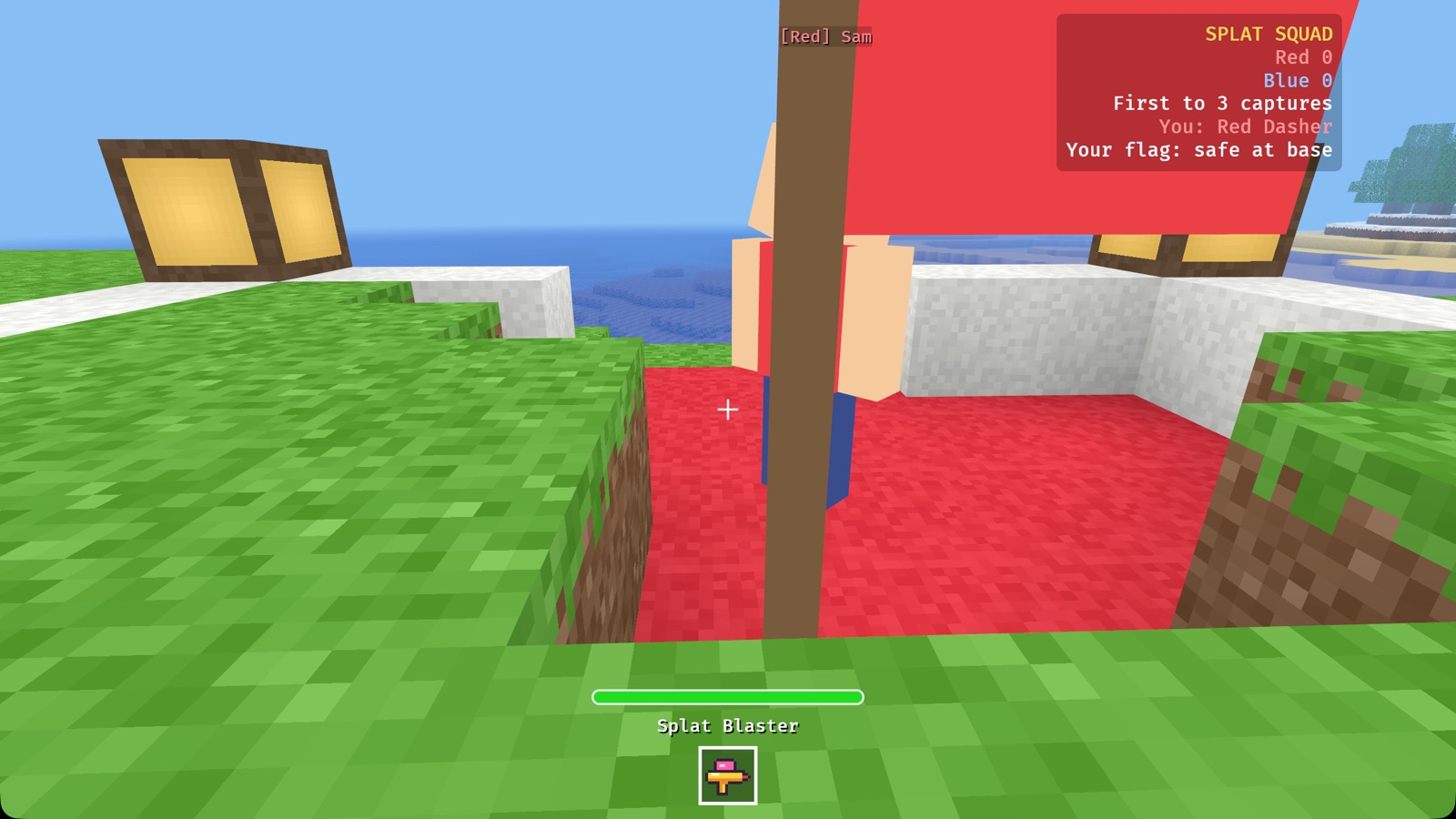
Splat Squad is a team game for two or more players. It's a mod that comes with Ourcraft. Two teams, Red and Blue, each have a base with a flag. Bring the other team's flag home to score; the first team to 3 wins the round.
Starting a match
- Main menu → Play → + New world.
- Click Game until it says Splat Squad.
- Switch on Friends on my network can join, and press Create and play.
- Friends choose Join a friend and pick your game.
Two bases appear, about 44 blocks apart: a red one and a blue one, each with a coloured
platform, low walls, lamps, and a flag on a pole. Players are put on the smaller team
automatically. Splat Squad worlds can also be run on a server with
--mode team_shooter.
The classes
When you join, your hotbar shows four class badges. Select one (keys 1–4,
or tap it) and click to become that class. Your hotbar then holds your gadget. You can
change class any time with /class name.
| Class | Paint | Speed | Gadget | What it does |
|---|---|---|---|---|
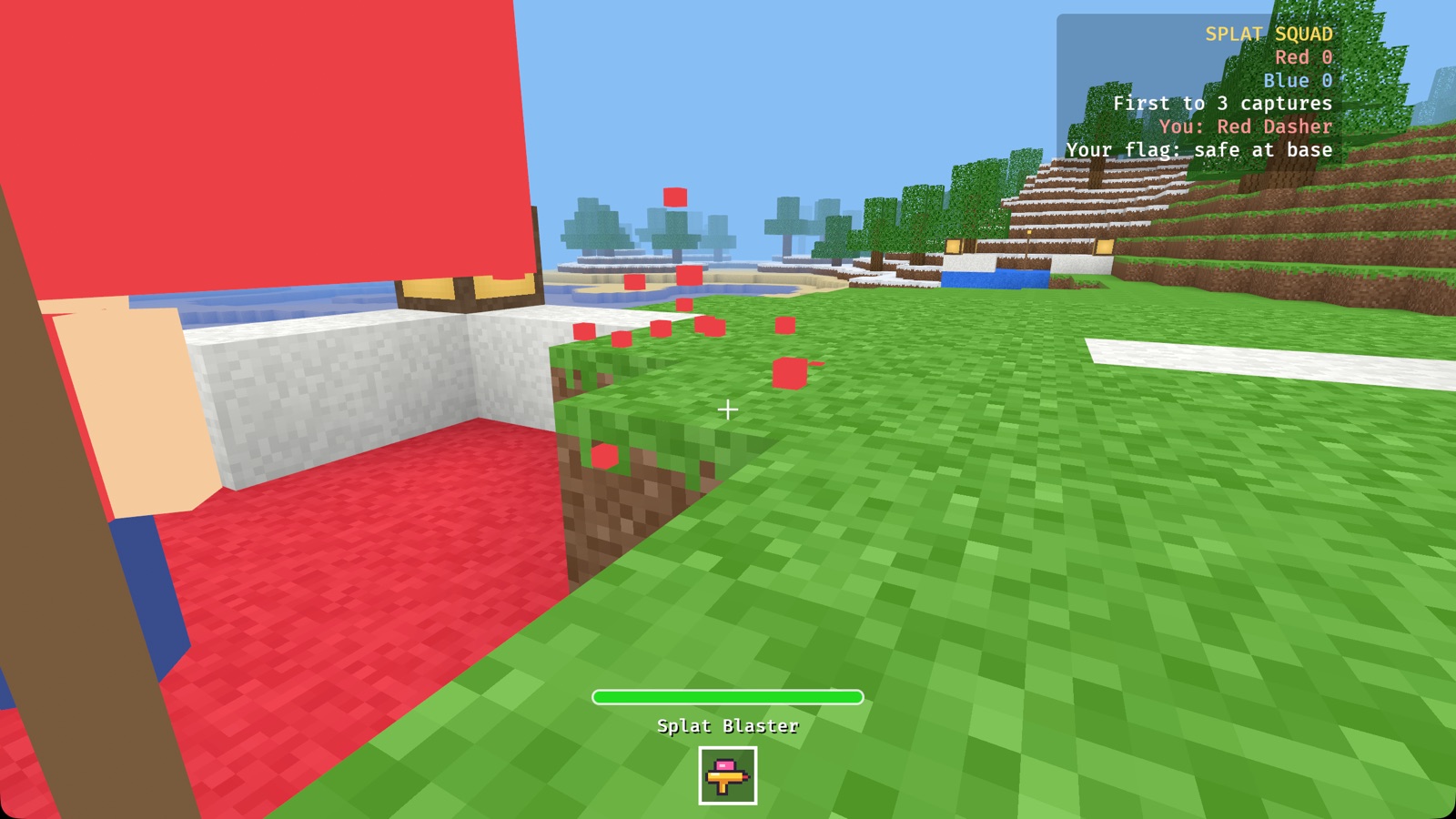
| Dasher | 80 | Fast | Splat Blaster | Rapid little paint pellets (16 each, about 6 shots a second). Fast and straight. |
| Bulwark | 170 | Slow | Bubble Cannon | Big, slow bubbles (42 each, about one a second). Hard to stop. |
| Lobber | 110 | Normal | Paint Lobber | Bombs that fly in an arc (30 on a direct hit) and splash everyone within 3 blocks (up to 40). |
| Patcher | 100 | Quick | Mend Beam | A short beam (14 blocks): refills a teammate's paint, or gives an opponent a little splash. |
How to play
- Pick a class from the badges.
- Head for the other team's base. The scoreboard in the top right shows the score and whether your own flag is safe.
- Touch their flag to grab it. It floats above your head, and everyone is told.
- Run home and touch your own flag to score. This only works while your own flag is safe at your base.
- Defend. If someone takes your flag, splat them to make them drop it, then touch it to send it home.
Rules
- Paint meter: the bar above your hotbar. Getting hit by the other team drains it. You can't hurt your own team.
- Splatted: when the meter is empty you pop in a puff of confetti, drop any flag you carry, and wait at your base for 5 seconds. Then you're back with a full meter.
- Dropped flags stay where they fall. The flag's own team returns it by touching it; otherwise it goes home on its own after 20 seconds. The other team can pick it up again.
- Winning: the first team to 3 captures wins the round. After a short celebration, everyone respawns and a new round begins.
- No building, breaking or flying during Splat Squad, so the arena stays fair.
Tips
- Dasher: you're the best flag runner. Don't stop to fight; dodge and run.
- Bulwark: stand near your flag and block the way in. Lead your shots: bubbles are slow.
- Lobber: aim high to throw over walls, and into groups for big splashes.
- Patcher: follow your flag runner and keep their meter full.
- Teams work best with a mix: someone guarding, someone running, someone helping.
Splat Squad commands
/class dasher(orbulwark,lobber,patcher): change class./team: switch to the other team./score: show the score.
8. The Paint Blocks mod
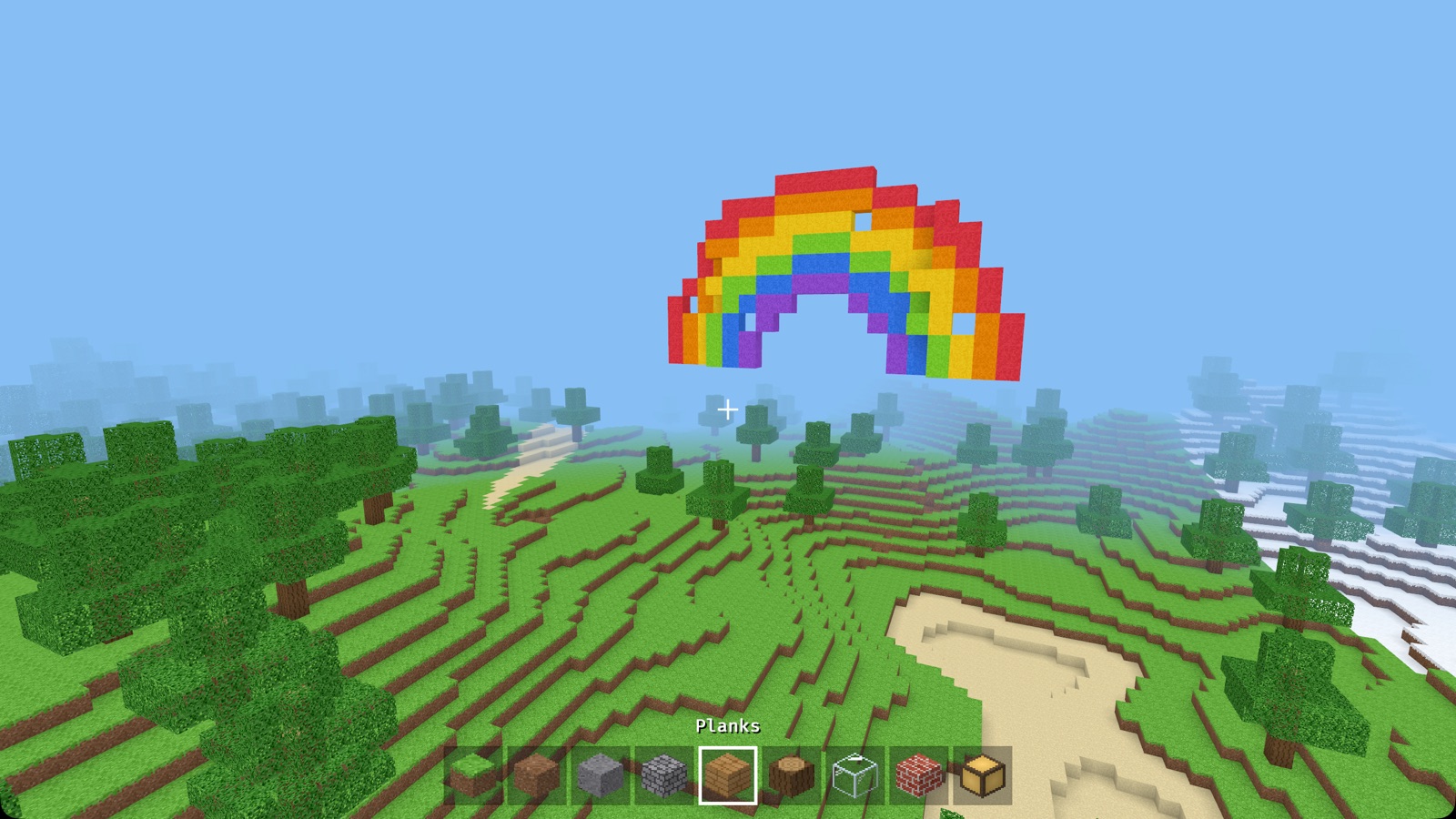
Also included with the game. It adds eight bright paint blocks (red, orange, yellow, lime, blue, purple, pink, white) and a glowing Rainbow Lamp. You'll find them in the inventory (E) in creative mode.
Type /rainbow in chat and a rainbow appears in front of you. It only fills empty
air, so it never covers anyone's buildings.
9. Chat and commands
Press Enter, type, and press Enter again to send (Esc
cancels). Messages fade after a few seconds. Lines starting with / are
commands:
/help: list commands./time dayand/time night: change the time for everyone./weather rainand/weather clear: change the weather./peaceful: switch monsters and hunger off (or back on) for the world./summon sheep(or pig, cow, chicken): call an animal over, in creative./tp x y z: jump to a place (like/tp 0 80 0), in creative./snowman,/snowballs: the Snow Fun mod./rainbow: Paint Blocks mod./class,/team,/score: Splat Squad.
10. Settings
| Setting | What it does |
|---|---|
| Your name | What other players see above your head |
| View distance | How far you can see (in chunks of 16 blocks). Lower it if the game feels slow |
| Look sensitivity | How fast the view turns with the mouse |
| Sound volume | All game sounds |
| Music | Calm music now and then (on by default) |
| Touch controls | Automatic (shown on touch screens), on, or off |
| Hide rude words in chat | On by default |
| Show info text | The FPS, position and help text in the corner (also F3) |
| Middle click picks block | On: middle click copies the block you're looking at into your hand (switching the hotbar slot). Switch it off if you keep doing it by accident |
| Mouse wheel changes slot | On: scrolling the mouse wheel moves along the hotbar. Switch it off if the wheel keeps changing what you're holding; the number keys 1–9 still work |
| Skin | How you look: < and > go through the skins (see below) |
Skins
Pick how you look under Settings → Skin. There are six built-in skins: Explorer, Miner, Gardener, Knight, Astronaut and Robot. Press F5 in a game to see yourself.
Your own skin: put a 64 × 64 skin picture (PNG, the classic block-game
layout, so skin files you already have work; older 64 × 32 ones too) in the
skins folder next to settings.txt. It shows up in the Skin list.
If a file can't be used, Settings says why in red and you get the Explorer skin.
Everyone you play with sees your skin.
Settings are saved in settings.txt next to your worlds folder:
- macOS:
~/Library/Application Support/Ourcraft/ - Windows:
%APPDATA%\Ourcraft\ - Linux:
~/.local/share/ourcraft/
11. Running a server
A dedicated server keeps a world running for everyone, with no window and very little memory.
cargo run --release -p ourcraft_server --bin ourcraft-server -- --world world| Option | Meaning |
|---|---|
--world NAME | World folder under ./worlds/ (created if new) |
--port 41700 | UDP port to listen on |
--mode team_shooter | Make a new world a Splat Squad world |
--survival | Make a new world survival instead of creative |
--seed N | Seed for a new world |
--name "…", --motd "…" | Server name and welcome message |
--view-distance 10 | Most chunks sent to each player |
--max-players 16 | Player limit |
--mods FOLDER | Extra mods to load (default ./mods) |
Press Ctrl+C to save and stop. Servers on your network show up on the Join a friend screen automatically.
12. Mods
Mods are small programs (WebAssembly files ending in .wasm) that add blocks,
gadgets and game modes. Ourcraft comes with three: Paint Blocks,
Splat Squad, and Snow Fun (type /snowman or
/snowballs in a building world).
- Adding a mod: put its
.wasmfile in themodsfolder next to your worlds folder (or next to a dedicated server), and restart. - Safety: mods can't read your files or use the internet. They can only use the game's mod API. Each one has limits on time and memory, and a mod that misbehaves is switched off.
- Making mods: mods are written in Rust. The
Modding Guide walks you through making one step by step
(snow bricks, a
/snowmancommand and a snowball thrower), with recipes and the full API reference.
13. iPad and Android
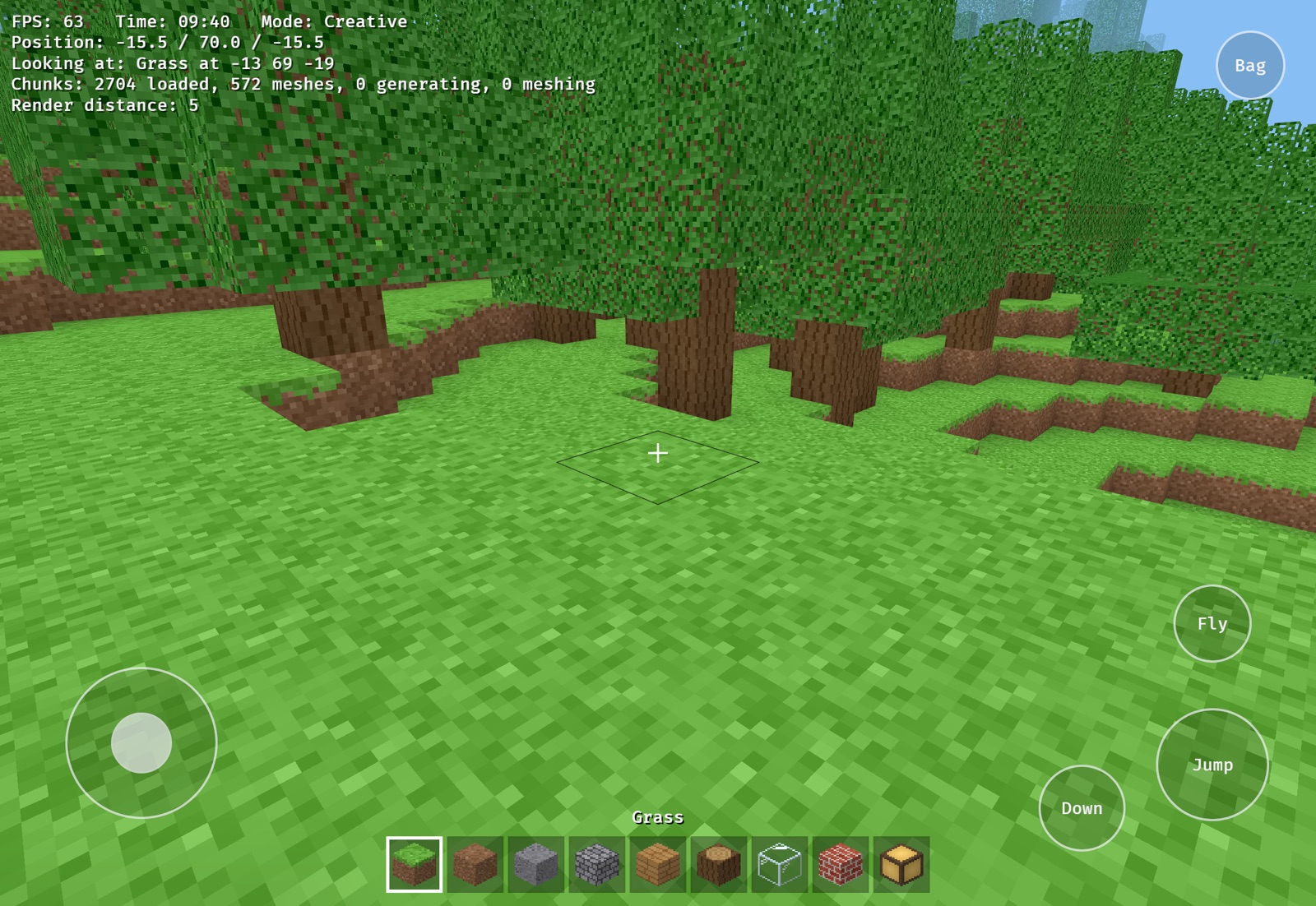
- Moving: put your thumb anywhere on the left side and drag. Push all the way to run. You hop up steps automatically.
- Looking: drag anywhere on the right side.
- Building: a quick tap places a block; press and hold to break.
- Buttons: Jump, Down, Fly (creative), Bag (inventory, top right) and Menu (top left). Tap a hotbar slot to select it.
- Eating: with food in your hand (survival), an Eat button appears next to Jump: hold it.
- Signs: a keyboard appears on the screen when you write on one.
- Splat Squad: tap or hold to use your gadget.
Installing: iPad/iPhone builds come from the Xcode project in
mobile/ios; Android builds from mobile/android/build.sh. See the
project's README for details.
14. For parents
- No accounts, no ads, no purchases. Nothing to sign up for.
- Private by default. Single-player worlds are on your device only. Others can join only if you switch on Friends on my network can join (same network) or you run a server.
- Gentle combat. Splat Squad uses paint and confetti: no blood, no weapons that look real. Survival monsters are silly cartoons that "bonk"; when hearts run out you faint and wake up in bed, keeping everything. No swords, and animals can't be hurt.
- Peaceful worlds: type
/peacefulto switch off monsters and hunger, or simply play in creative. - Chat filter for rude words, on by default (Settings).
- Open source: you can read every line of the game on GitHub.
15. Problems and questions
The game feels slow
Lower the view distance in Settings (or press [). Make sure you started it with
--release; without it the game runs much slower.
My friend's game doesn't appear in "Join a friend"
Check that the host switched on Friends on my network can join, that you're on the same Wi-Fi, and that a firewall isn't blocking UDP ports 41700 and 41701. You can always type the host's address instead. On iPhone and iPad the list may stay empty; typing the address works.
"Your game version doesn't match the server"
Everyone needs the same version of Ourcraft. Update with git pull and start the
game again.
The mouse won't move the view
Click inside the game window to capture the mouse. Esc releases it.
Where are my worlds?
In the worlds folder next to settings.txt (see
Settings). Each world is one folder; copy it to back it up.
Something else?
Open an issue on GitHub.